
Smart Door Lock Installation 101 | Tips and Tricks
Posted by Richard Schoech on Jan 10, 2024
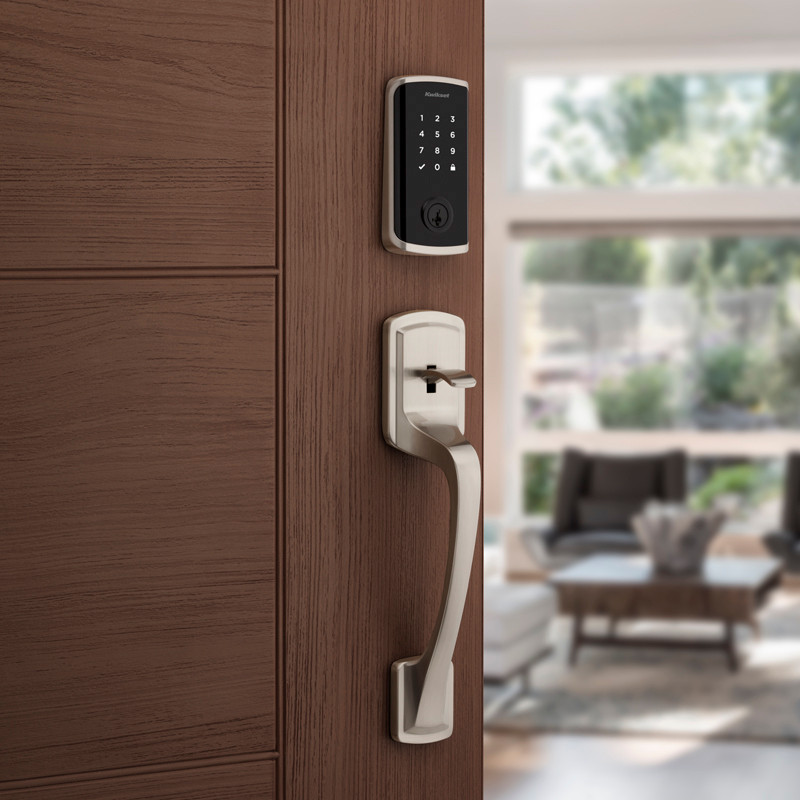
Key Takeaways
- You’ll need a Phillips head screwdriver, measuring tape, a level, and batteries to complete your keyless entry door lock installation.
- Remove your old door hardware to clear the way for your new locks.
- To install your smart locks, install the new latch/deadbolt, align and secure the exterior and interior parts of the lock, and connect the mounting plate.
- Once your lock is installed, you’ll need to download its app and configure your personalized settings.
Over the years, integrating smart home technology has significantly transformed our approach to home security. Smart locks, in particular, have emerged as a leading solution, offering convenience, remote accessibility, and enhanced protection.
Whether you want to upgrade or install new front door keypad locks, touchscreen deadbolts, Wi-Fi fingerprint-enabled smart locks, or Bluetooth-enabled keyless entry combo sets, there’s a wide selection of smart lock options to choose from for your entry, back, and interior doors.
These smart door locks generally offer easy installation and come equipped with pre-set codes and clear set-up instructions, ensuring a seamless transition to high-tech security solutions. Use our step-by-step guide at Door Locks Direct to get started with keyless entry door lock installation.
Your Must-Have Tools and Essentials for Smart Door Lock Installation
Before we start, you’ll need the tools and essentials for a seamless and efficient installation process. Here’s what you need for a successful setup:
- Smart lock kit: Includes the smart lock and any necessary accessories.
- Screwdriver: A Phillips head is commonly needed for most installations.
- Drill and drill bits: Only required for doors that need additional holes or adjustments.
- Measuring tape: Essential for precise placement and alignment, but only really needed if drilling new holes.
- Pencil: For marking drill points or alignment spots.
- Level: To ensure the lock and keypad are perfectly horizontal.
- Batteries: Most smart locks are battery-operated, and many come with batteries included.
- Wi-Fi network and smartphone: Necessary for app-based lock configuration and control.
Step 1: Choose the Right Smart Lock
Selecting the ideal smart door lock for your home is a crucial step in the installation process. It's not just about aesthetics but more about finding a lock that seamlessly integrates into your daily life, giving you peace of mind without worrying about misplaced keys or accidental lockouts. Choosing the right smart locks is also crucial if you plan to add them to an existing smart home ecosystem.
Here’s what to keep in mind:
Compatibility
- Door Type: Ensure the smart lock fits your specific door in terms of size, design, material, and functionality.
- Smart Home Systems: Compatibility with systems like Apple HomeKit, Google Assistant, or Amazon Alexa is crucial for seamless integration. This allows for voice control and integration with other smart home devices.
Keyless Entry Method
Bluetooth and Wi-Fi
These keyless entry door locks connect to your smartphone for remote access, allowing you to lock and unlock your door from anywhere. Wi-Fi connectivity usually offers more features, like access logs and remote control, whereas Bluetooth smart door lock installation is often used for close-range control.
Touchscreen
Touchscreen locks provide a sleek, modern look and often feature a numeric keypad where you can enter a code to unlock your door.
Touchpad
Similar to touchscreens but with physical buttons, touchpads are ideal for those who prefer a tactile feel.
Biometrics
Biometric locks use fingerprint recognition for entry, offering high security and convenience. They’re beneficial for quick entry without needing keys or remembering codes.
Personal Needs
Remote Access
Consider if you want to control your lock remotely. This is particularly useful for letting in guests or service providers when you're not at home.
Integration with Smart Devices
If you have a smart home ecosystem, you might want a smart door lock that blends with other devices, like bright lights or security systems, for automated routines.
Customization and Control
Look for locks that offer user-friendly apps with customizable features like temporary access codes, auto-lock, and geofencing.
Read the Manufacturer’s Guidelines
- Security Standards: Check if the lock meets industry security standards and has features like built-in alarms or tamper alerts.
- Smart Door Lock Installation Feasibility: Assess whether the lock can be self-installed or requires professional assistance.
- Warranty and Support: Ensure the manufacturer offers a good warranty and customer support in case of technical issues.
Step 2: Remove Existing Hardware
Removing existing entry door locks and door hardware is an essential step in the keyless lock installation process. This step clears the way for your new smart door lock, ensuring the installation is neat and the new lock functions optimally.
- Uninstall Old Lock: Use a screwdriver to remove the existing deadbolt, latch, and strike plate.
- Preserve Components: Keep the old hardware for future use or as a backup.
Step 3: Install the Smart Lock
Precision and attention to detail are key during the actual installation of your smart door lock. Following the manufacturer’s instructions closely will ensure your smart lock functions as intended.
- Attach the Mounting Plate: Attach your mounting plate to the interior side of the door, aligned with the deadbolt hole.
- Install the Deadbolt: Insert and secure it from the exterior side.
- Attach the Exterior Part: Align and secure the exterior part of the lock.
- Connect the Interior Part: Connect and secure the interior part to the mounting plate.
- Check Your Work: Ensure all components are tight, and the lock is level.
Step 4: Connect and Configure the Smart Lock
This step involves bringing your smart lock to life by connecting it to your digital ecosystem. It’s a crucial phase where you personalize the lock settings to fit your lifestyle.
- Battery Insertion: If your lock is battery-powered, insert and replace the batteries as needed.
- App Installation: Download the smart door lock’s app on your smartphone.
- Wi-Fi Connection: Connect the lock to your Wi-Fi network through the app.
- Account Setup: Create or log in to your account for personalized settings.
- Lock Configuration: Add the smart lock to your app and customize settings like access codes and notifications.
Step 5: Test the Smart Lock
Testing your keyless entry door lock post-installation is crucial for ensuring everything works as it should. This step verifies your installation's effectiveness and the lock's functionality.
- Lock and Unlock: Use the app, keypad, touchscreen, or other access features to test locking and unlocking and access-sharing functions.
- Verify Settings: Confirm all custom settings are working correctly.
Step 6: Secure the Door
Securing the door involves fine-tuning the installation to ensure the smart lock operates smoothly and efficiently. This step is about ensuring longevity and reliability.
- Deadbolt Operation: Check for smooth extension and retraction.
- Adjustments: Make necessary adjustments for optimal lock performance.
- Strike Plate Installation: Install or reposition the strike plate for better alignment.
By following these detailed steps, your keyless entry door lock installation process should be smooth and efficient, resulting in a secure and convenient entry system for your home.
Secure Your Doors with Smart Locks
With smart door lock installation complete, you're now part of the ever-growing community of smart home enthusiasts, enjoying the blend of security and convenience that modern keyless entry locks offer. Whether you're at home or away, you can rest assured that your residence is secure and accessible whenever you need it.
Want to learn more about smart locks or shop for keyless entry locks? Visit Door Locks Direct and explore our blog today.
FAQs
What tools are needed for smart door lock installation?
You’ll typically only need a Phillips head screwdriver to install your locks.
Do I need a new deadbolt hole for smart locks?
Not likely. Most smart locks are designed to fit standard pre-drilled doors (2 ⅛ in), which are found in most modern residential homes. You may need to drill if you have a non-standard door or no existing deadbolt. If you only have one bore hole in your door, you might consider a keyless lever or knob, which can provide the same convenience without having to bore an additional hole.
When do I put in the batteries?
You should put in the batteries after installing the interior assembly and securing it with screws. Then, you’ll attach the cover and configure your smart door locks to complete the installation.